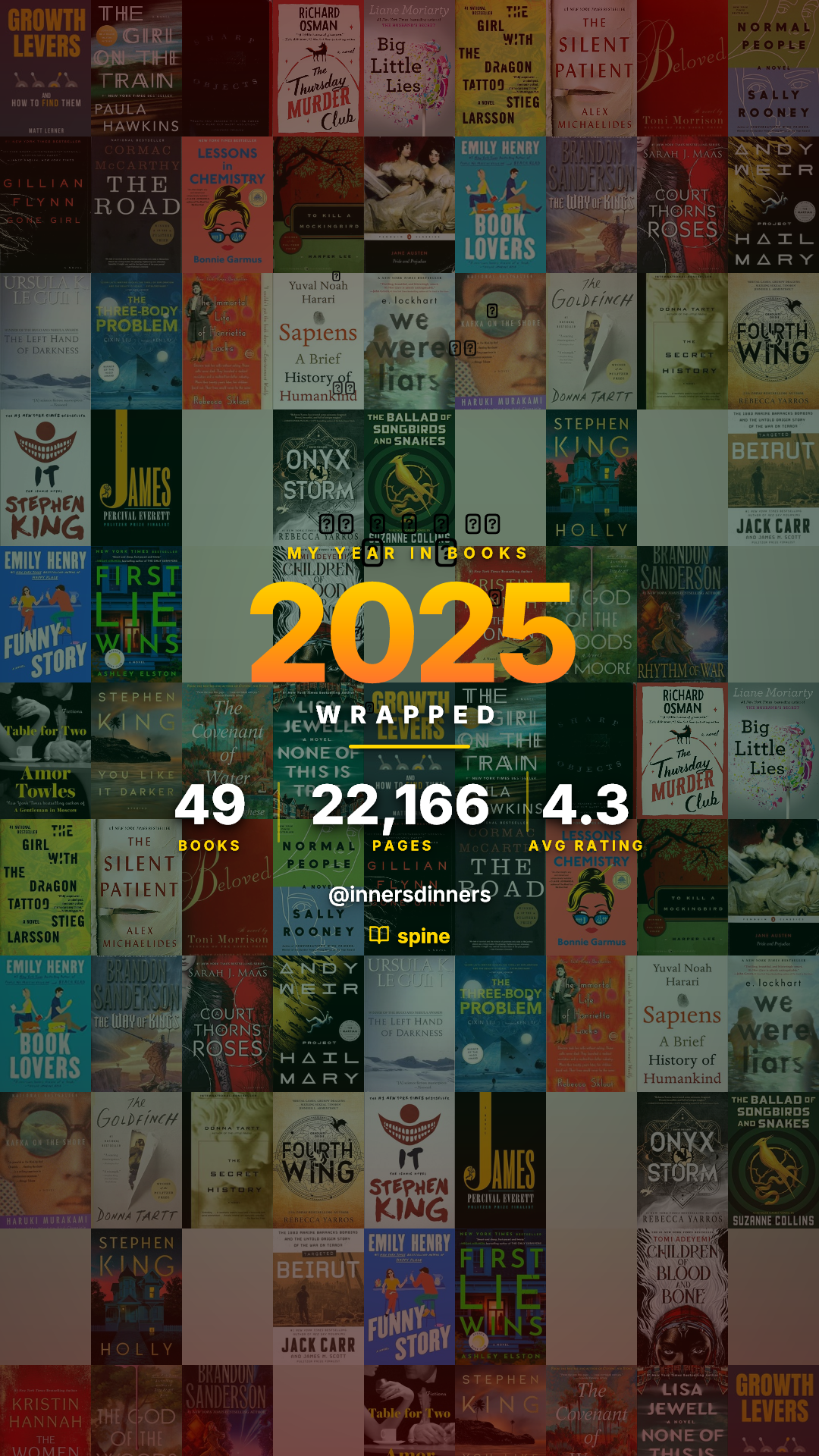
Stop Posting Ugly Goodreads Screenshots. Here’s How to Turn Your Reading Into Art.
 TeamSpine
Let’s be honest. We all love the idea of sharing our reading life online. You finish that last amazing book, you buy a new stack at the bookstore, or you want to share your top 5 reads of the year. You want to share that excitement with your community on Instagram, TikTok, or Twitter.
But then reality hits. What are your options?
The Goodreads Screenshot: You take a blurry, poorly cropped screenshot of a list. It looks dated, uninspired, and frankly, ugly on your beautiful feed.
The Physical Stack: You spend 20 minutes trying to balance ten books in a precariously high stack near a window, hoping for "natural light" and praying your cat doesn't knock it over.
We care so much about the stories we read, yet the tools we have to visualize them feel stuck in 2010.
Your reading taste has an aesthetic. It has a "vibe." And a spreadsheet or an old website screenshot just doesn't capture it.
That’s why I built Spine.
Turning Data into Design Spine is a simple tool with one singular goal: To turn your reading list into shareable art.
It takes the books you’ve read (or want to read) and transforms them into a beautiful, cohesive visual artifact that is ready for your Instagram Story or feed in seconds.
The magic is in the covers. Spine pulls the artwork from the specific books you choose and generates a unique visualization based directly on those covers.
But it’s more than just a gallery of images. It allows you to capture your actual opinion.
Spine lets you customize your card with the details that matter:
Star Ratings: Show exactly what hit the mark.
Micro-Reviews: Add your own 160-character review for each book. It’s perfect for capturing your quick, hot takes without writing a novel in the caption.
A Card for Every Reader Moment Spine isn't just for your end-of-month summary. It’s built for every part of your reading life.
You can instantly generate cards for:
The "TBR Stack": Share the pile of books you plan to read next (without having to physically stack them).
The "Book Haul": Just bought 5 new books? Show off your acquisitions in seconds.
"Top 5 List": Ideal for sharing your absolute favorites of the year, or perhaps your top 5 romance novels of all time.
"Currently Reading": A quick status update on what’s on your nightstand right now.
Seasonal Wraps: From Monthly to Quarterly to the big Yearly Wrap to visualize your progress over time.
How to Create Your First Card (in under 60 seconds) You don’t need to connect complicated APIs or download massive data files.
Go to Spine.
Choose your card type (Monthly Wrap, Book Haul, TBR Stack, etc.).
Search for your books and add your ratings or thoughts.
Click generate to create your custom card.
That’s it. You get a high-quality image perfectly sized for sharing on social media. No lighting setup required.
It’s time to stop letting antiquated platforms define how your bookshelf looks online. Your reading life is colourful. Show it off.
Head over to Spine to generate your first card. If you share it, tag it with #getspine.app - I’d love to see what your reading year looks like so far.
Ready to track your reading?
Join thousands of readers who use Spine to log books and share beautiful cards.
Get Started Free